Rainmaker Printer

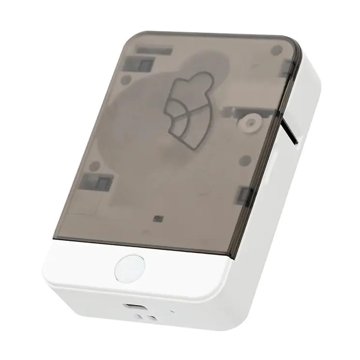
The HP6 label printer: white, with a dark see-through lid and one round button
For the HP6 label printer
PC (Chrome or Edge)Android (Chrome)iPhone

How to print

It takes about a minute. No app to install.

On a PC

Use Chrome or Edge. Turn Bluetooth on (Windows: Settings, Bluetooth).

On Android

Use Chrome. Turn on Bluetooth and Location. If Chrome asks about nearby devices, tap Allow.

Steps

  1. Turn the printer onPress the round button on the front.
  2. Check the stickersA sticker roll is inside, with its end coming out of the slot.
  3. Type your labelsOne label per line. Want two lines on one sticker? Tick Two rows, or put a | where the break goes.
  4. Check the previewWhat you see on the right is exactly what prints.
  5. Press PrintA small window opens. Pick the printer whose name starts with HP, then press Pair (or Connect).

Good to know

More options

Text

Number series

Paper

No labels yet.